
Designed for speed
The guided booking process can take around 30 seconds for a straightforward repeat trip with details already saved. More complex bookings take longer.
A fast, guided flow for booking from your operator's website or the client booking app. Returning customers can reuse favourite routes and saved account information, making repeat journeys especially convenient.
The guided booking process can take around 30 seconds for a straightforward repeat trip with details already saved. More complex bookings take longer.
Save frequent pickup and destination combinations to simplify future bookings instead of entering the same journey repeatedly.
Customers can start from the operator's website or the client booking app, using the connected booking process.
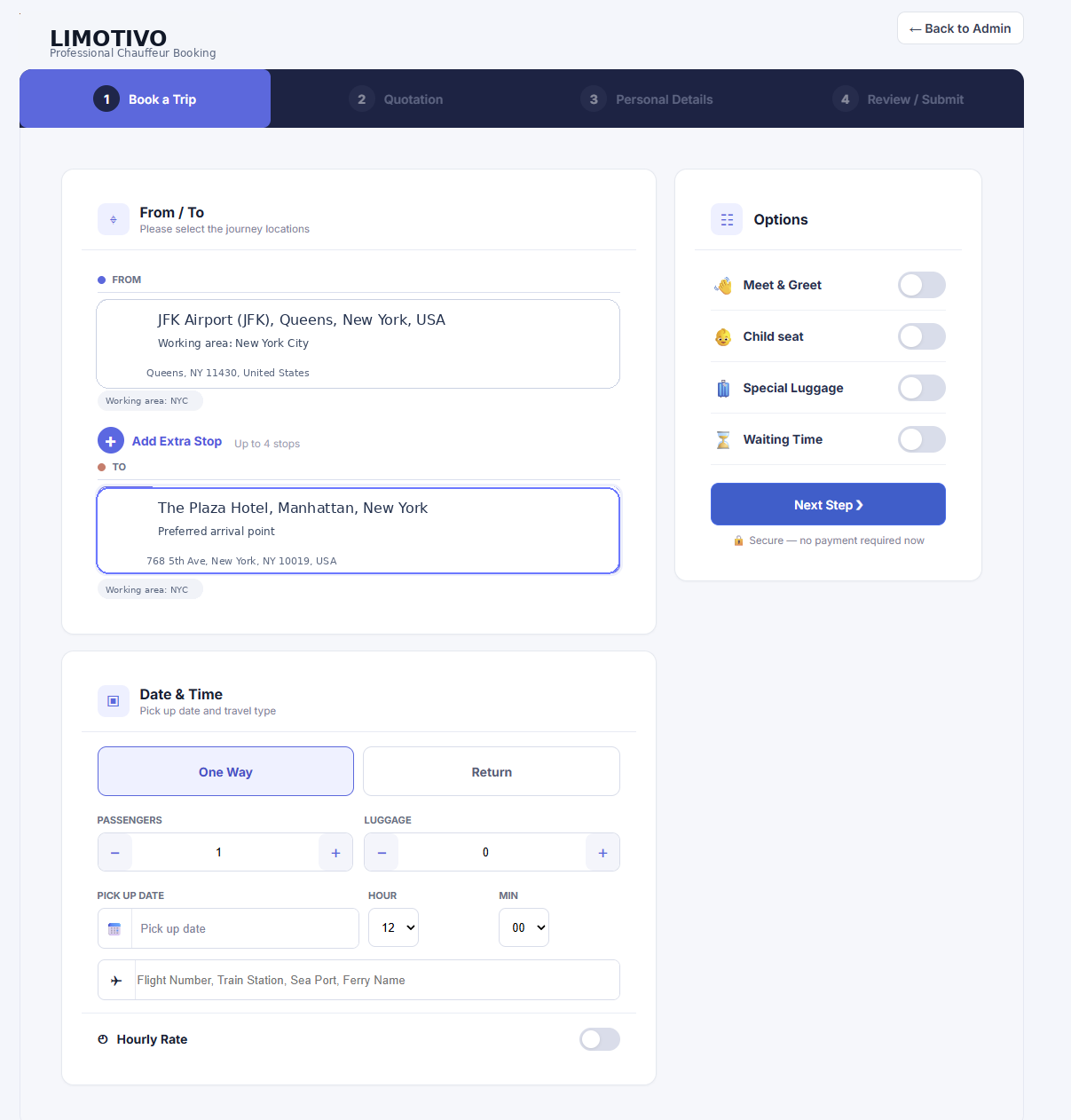
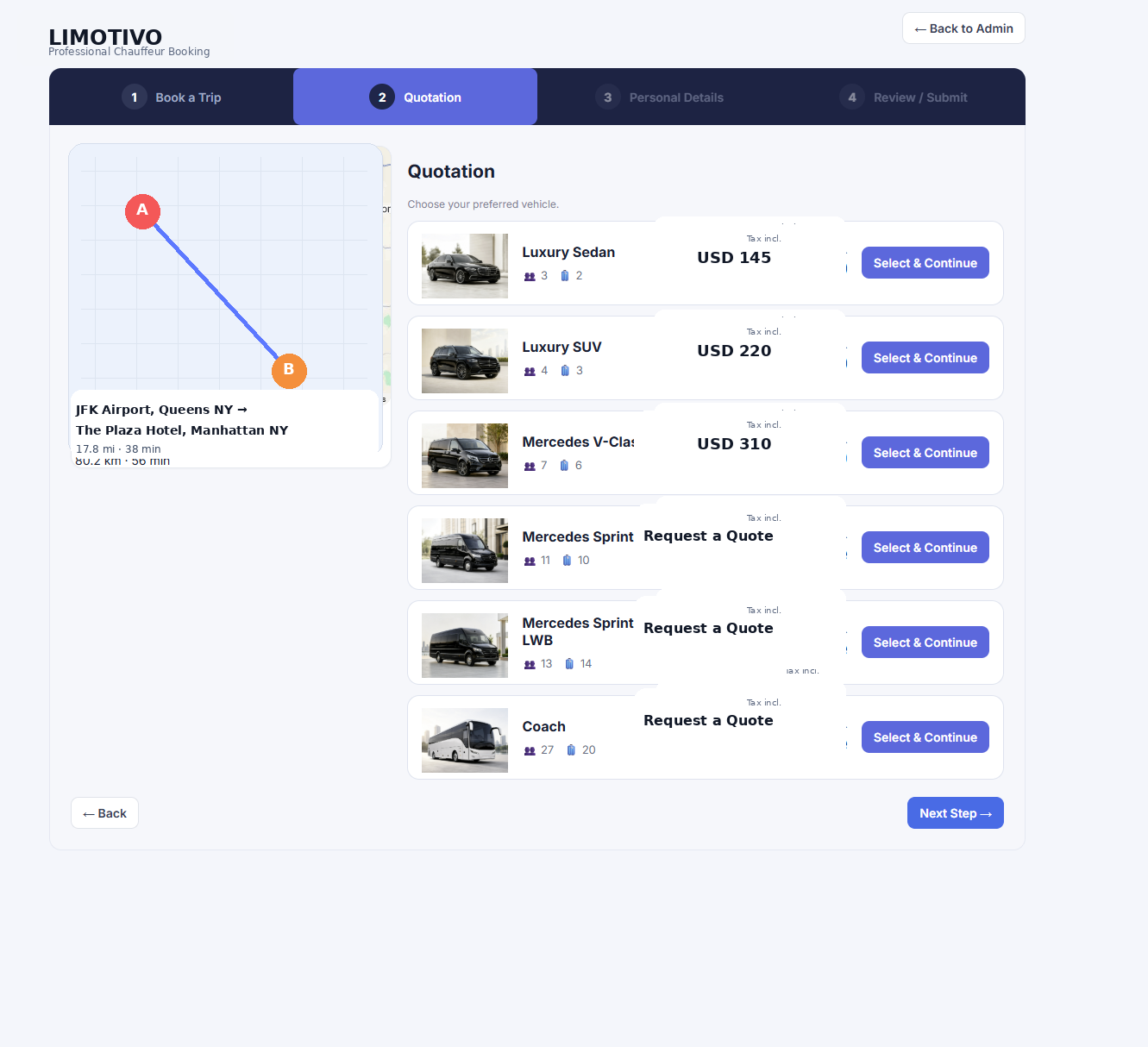
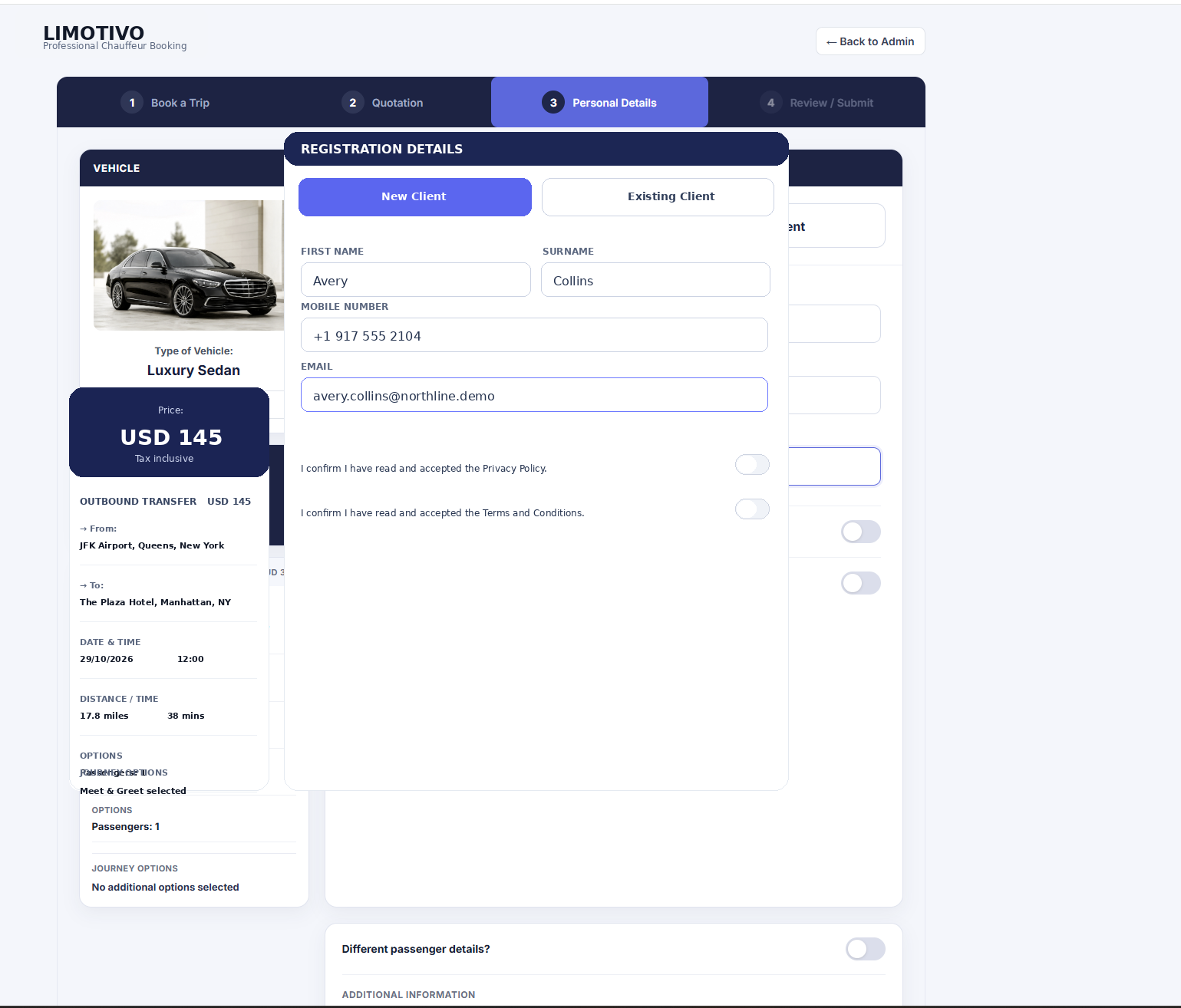
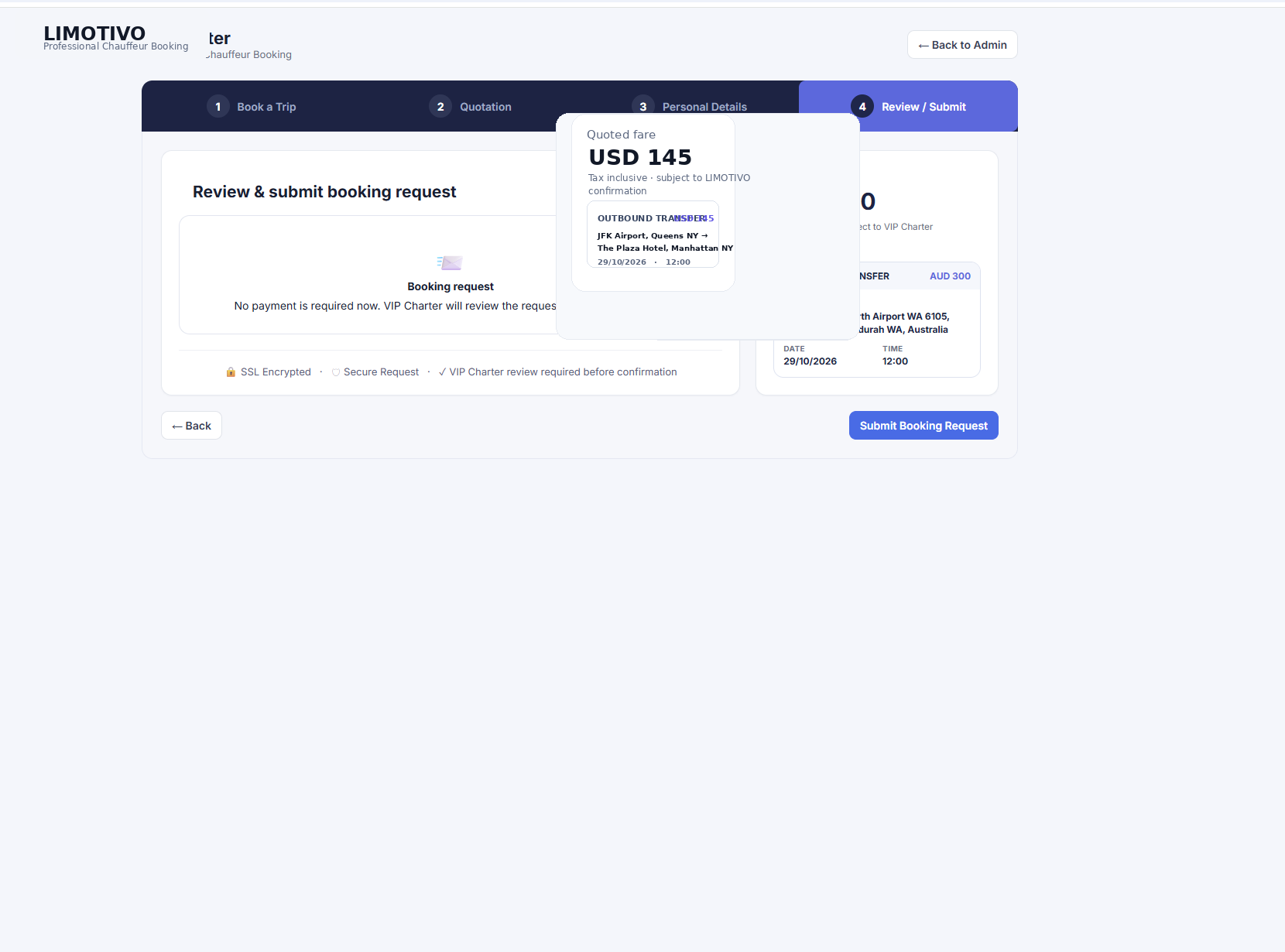
These images demonstrate the actual four-stage booking interface with fictional sample information.
Choose pickup and destination, date, passengers and optional extras.
Review vehicle categories, capacity and available fares or request a quotation.
Existing customers can use their account, while new clients provide their information.
Check journey details, accept the relevant policies and submit a request for approval.
The customer experience connects to the same LIMOTIVO bookings, quotations and dispatch workflows.